
Random video chat · adults 18+
Omigo Chat — random video chat, one face at a time
Open it in your browser and press start. You get one stranger, on camera, face to face. Not clicking? Tap Next and meet someone else, or hang up whenever you like.
- No sign-up form
- Nothing to install
- Hang up any time








Real people, on camera, one at a time.
Omigo Chat in one paragraph
Omigo Chat is a random video chat that lives at omigochat.live. You open it in a browser, on a phone or a laptop, and it pairs you with one other adult for a live, two-way video conversation. It is a one-on-one call, not a group room or a public stream. It is two people, two cameras, and a Next button for the moments when a conversation is clearly going nowhere and both of you would rather be somewhere else, which happens, and is fine. Whether you typed “Omigo chat”, “omigochat” or the address itself, this is the place.
Format
Live video, one-on-one
Where it runs
Any modern browser
To begin
Press start. That’s it.
Who it’s for
Adults, 18 and over
How an Omigo chat actually goes
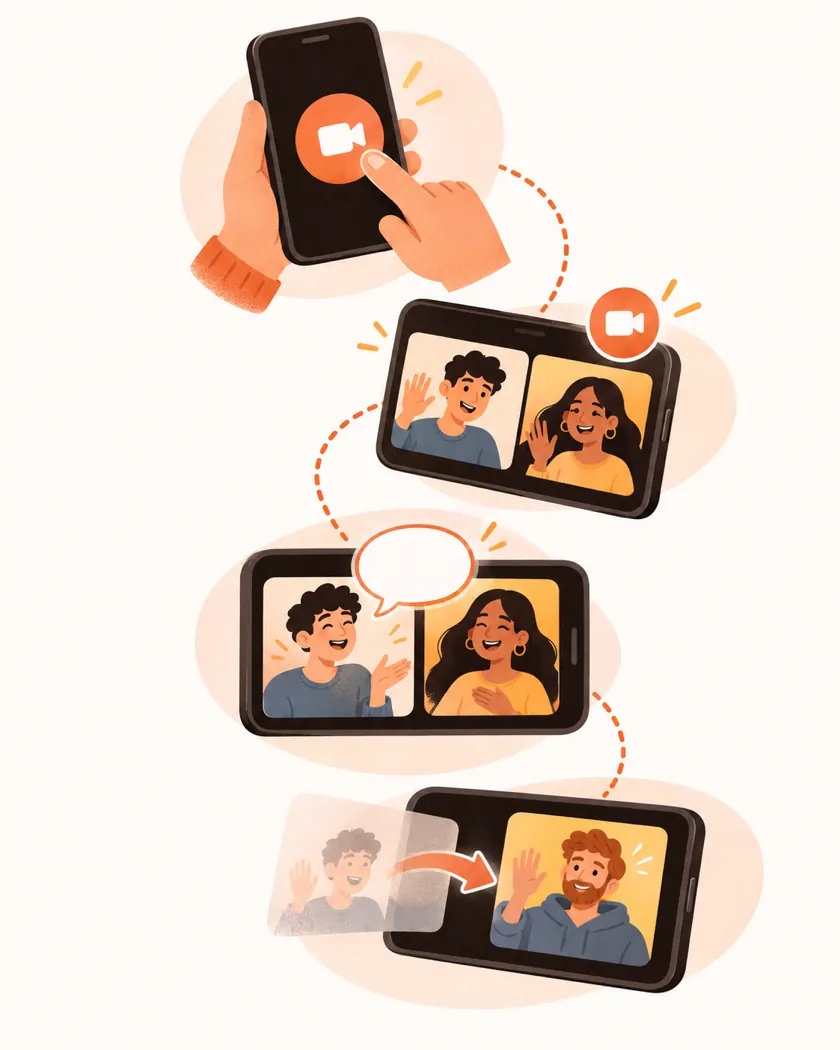
Here is the whole thing, start to finish, written out plainly so that you know exactly what is going to happen before your camera turns on and a stranger’s face appears on the screen in front of you.
- 1
Before
You press start
That is the whole setup. No form to fill in. You land in the queue as a guest, and the site looks for someone else who pressed start at roughly the same moment you did.
- 2
The first look
Two cameras switch on
Your browser asks once for camera and microphone. Say yes. The other person’s video appears next to yours, and it is worth remembering that they are seeing you for the first time too, probably in a room as untidy as yours, probably just as unsure what to say first.
- 3
Talking
It is just a conversation
Some last a minute. Others run for an hour, drift from music to cooking to whatever is on the wall behind someone, and end up as a message thread you pick up again the next day. No script.
- 4
Ending it
Next, or hang up
Next unlocks a few seconds into the call and takes you to someone new. Hanging up works at any moment. No explanation owed either way.
The four controls you will actually use
There are more settings tucked away. Ignore them for now. These four are what a call is made of, and once you have used each of them a couple of times the whole thing stops feeling like an app and starts feeling like a conversation.
Start
Joins the queue. Pressing it again later is how you come back for another round.
Next
Moves you on to a new match. It lights up a few seconds after the call connects, so nobody gets skipped before they have said hello.
Hang up
Ends the call immediately. Any point. Always.
Report & block
Both live on the other person’s profile. Report with a reason, block them, or do both. Blocks can be undone from your blocked list.
Moving on is not rude here. Everyone taps Next, and everyone gets Next-ed. It keeps the pairs that do work going longer.
Video first, messages when you’d rather type
The point of Omigo Chat is seeing the person you are talking to. A face tells you more in five seconds than a profile does in five paragraphs. Still, not every moment is a camera moment. Some aren’t.
So there is a messages section. Met someone worth talking to again? Keep it going in text after the call ends, which is how a surprising number of the better conversations on a random video chat actually survive past the first night, when one of you has to log off and neither of you wants that to be the end of it. On a bus? Type.
Phone or laptop: what you need to run Omigo chat
Nothing to download on either. Omigo Chat runs in the browser you already have, so the only real differences are where you hold the camera and what you do about sound.

On a phone
Open omigochat.live in Safari or Chrome. Hold the phone at eye level, because a ceiling-and-nostrils angle has ended more first chats than anything anyone has ever said out loud. Want an icon? Add it to your home screen.
On a laptop
Any current Chrome, Edge, Firefox or Safari will do. The built-in webcam is fine. Headphones help a lot more than a better camera would, because they stop the other person’s voice from coming out of your speakers, going straight back into your microphone, and reaching them again as an echo.
Camera or mic not showing up?
- Click the lock icon next to the address, set camera and microphone to “Allow”, then reload.
- Close other apps that might be holding the camera — video calls, screen-sharing tools, a second browser tab.
- On iPhone, check Settings → Safari → Camera and Microphone.
- Still black? Try another browser. If the camera works there, the problem is a setting in the first browser rather than anything wrong with your camera, your laptop or Omigo Chat itself, and resetting that browser’s site permissions usually sorts it out.
The first ten seconds of a random video chat
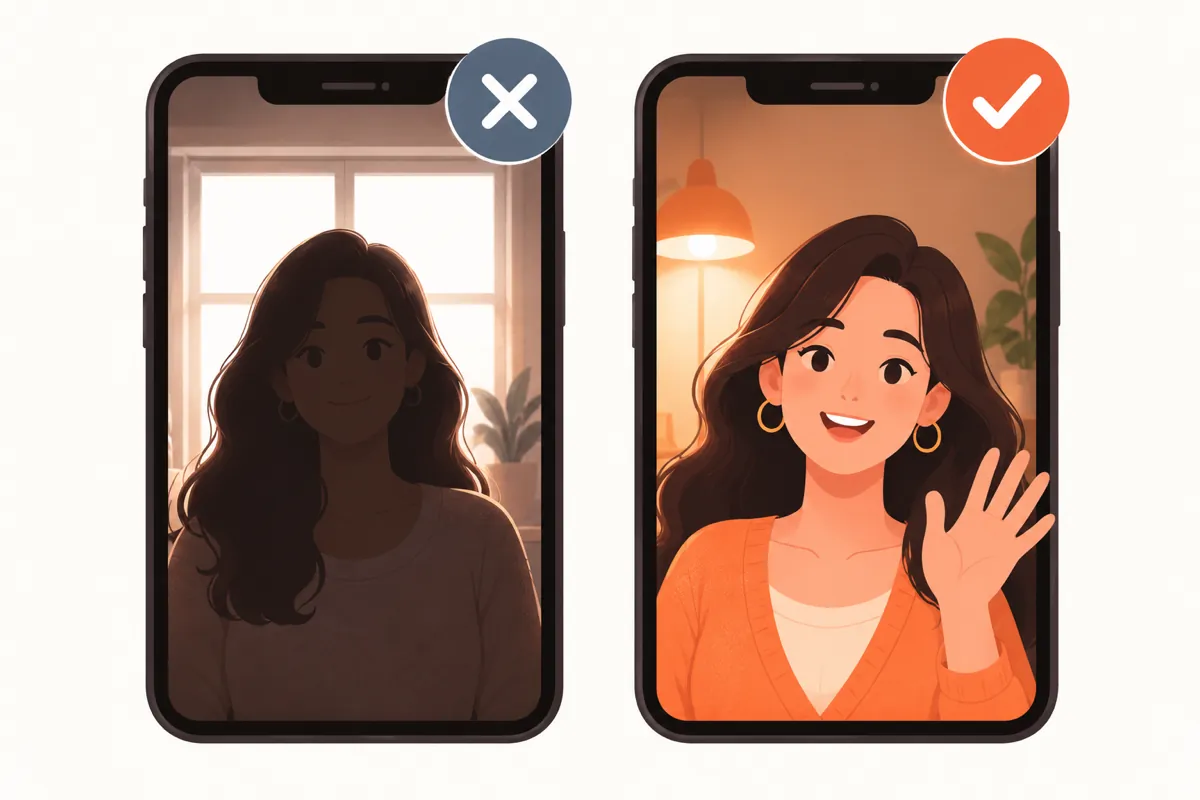
Most people move on right at the start, before anyone has said much at all, usually because the first frame was a dark room, a ceiling or a silent stare. Small things fix that. They matter more than you’d think.
Be visible. Light in front of you, not behind. A bright window behind your head turns you into a dark silhouette with a voice, and almost nobody stays to find out what the silhouette looks like.
Say something first. “Hey, where are you calling from?” is fine. So is a comment about what you can see in their background, whether that is a guitar on the wall, a cat walking across the desk or a view out of a window in a city you have never been to.
Smile, a little. You are a stranger to them too. They are nervous as well.
Don’t interview. Three questions in a row starts to feel like filling in a form, so answer one of your own questions too, add a detail nobody asked for, and let the other person pick a thread to follow.
Leave kindly. If it’s not clicking, a quick “nice talking to you” before you tap Next costs nothing, and the other person notices.
Which parts cost money
Opening Omigo Chat, looking around and starting a match do not ask for a card. Coins are what you pay with inside the app, and you buy them yourself, from the wallet, when you decide to.
The part worth knowing before your first call is how a matched video call is priced: it starts with a free stretch, and shortly before that stretch runs out a message appears inside the call telling you that from that point on the call will cost coins per minute, and exactly when that begins. Don’t want that? Hang up, or tap Next, before then. No notice, no charge.
Payment problems or a charge you don’t recognise? Write to support. Include the date and the amount.
Ground rules on Omigo Chat
Short list, on purpose. Breaking any of these can get an account removed.
- 18 and over only. Someone looks underage? End the call. Then report them.
- No harassment. Insults, slurs and threats are all reportable. Reports get reviewed.
- No screen-capturing other people without their consent, and no sharing it anywhere.
- No selling, spam or links pushing people off to other sites.
- Keep your details to yourself. Your home address, your school, where you work, anything to do with your bank, your passwords, the name of the street you grew up on: none of it belongs in a chat with someone you met four minutes ago.

The full version lives in the community guidelines and the child safety policy.
If you came here from Omegle
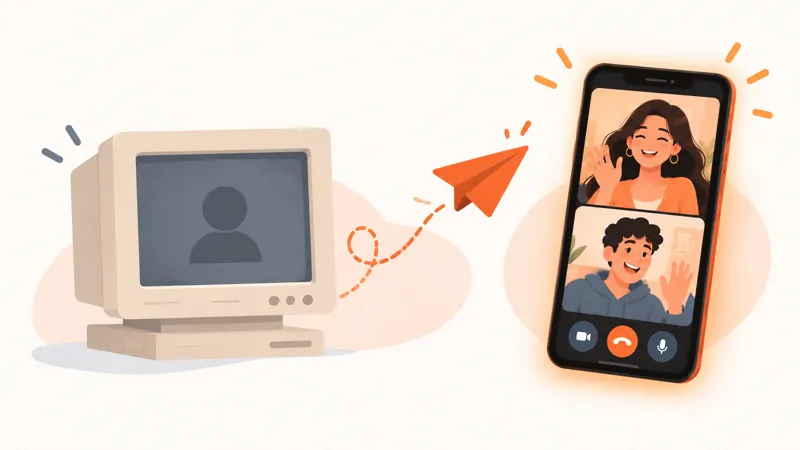
Omegle closed in November 2023. People noticed. Since then a lot of them have been trying site after site, looking for something that still has that open-a-tab-and-meet-someone feeling without the parts that made Omegle hard to recommend to anyone. Omigo Chat is one of those places: browser-based, random, one-on-one. Three longer reads if you are comparing:
Before you press start
Omigo Chat is a random video chat on the web. You open omigochat.live, press start, and get matched with one other adult for a face-to-face conversation. If it is not working out, tap Next or hang up.
No. No sign-up form stands between you and your first match, because the site quietly starts you as a guest in the background the moment you arrive. Later, if you want your messages and settings to follow you from your phone to your laptop, you can add an email or a sign-in. Optional.
Opening the site and starting a match does not ask for payment details. A matched call starts with a free stretch; before it ends, the call shows a notice that it will start costing coins per minute. Coins are bought by you, from the wallet, and only if you decide to.
Yes. It runs in the phone’s browser, so Safari on an iPhone and Chrome on an Android phone both work without downloading anything from an app store, and if you want a one-tap icon you can add the site to your home screen from the share menu. That’s it.
No, and you don’t need one. Omigo Chat runs in the browser you already have, on a phone or a computer, and if you want it to feel like an app you can open omigochat.live, tap “Add to Home Screen” in the share menu, and get an icon that opens straight into the site the next time you want a chat.
Because the other person needs to see and hear you. The browser asks at the moment you are matched, not when the page loads. Said no by accident? Tap the lock icon in the address bar, switch camera and microphone back to allow, and reload the page.
Mostly video. There is a messages section for text, though, and a lot of people use it the way you would expect: they meet someone on camera, the call ends because one of them has to go, and the conversation carries on in messages for days afterwards.
Open the other person’s profile. Report lets you pick a reason and send it for review; Block adds them to your blocked list, which you can undo later. If a call is going badly, hang up first, then report.
No. Omigo Chat is for adults only, and if you ever think the person you have been matched with is under 18, the right thing to do is to end the call straight away and then report them from their profile so it can be looked at. The child safety policy has the details.
One tap, one new face
Start a video chat on Omigo Chat. If the first one isn’t it, the second one might be. Or the fifth.
Start a video chat